eCommerce Background Removal: Clipping Path, Masking & AI
Background removal is an important part of preparing professional eCommerce product images
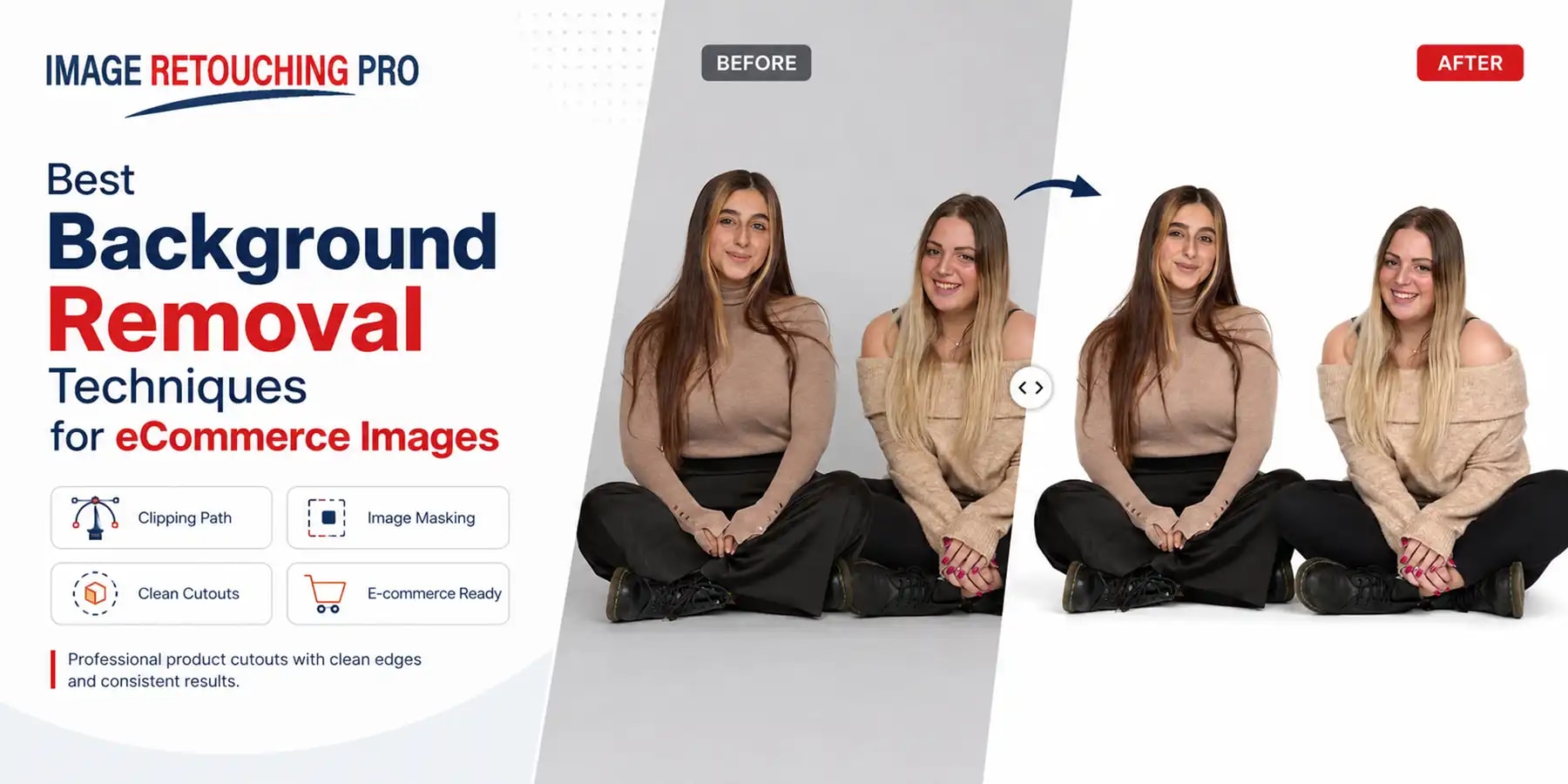
. Removing distracting surroundings allows the product to remain the visual focus while making it easier to create consistent white, transparent, colored, or custom backgrounds across a product catalog. However, clean background removal is not simply a matter of clicking an automatic removal button. The best technique depends on the product's edges, transparency, texture, lighting, and intended use. A hard-edged product may be best isolated with a clipping path,
while hair, fur, soft fabrics, or transparent materials usually require image masking.
Automated selection tools can accelerate the initial process, but detailed commercial images often benefit from careful edge refinement. This guide explains practical background removal techniques for eCommerce images, from photography and lighting to clipping paths, masking, automated selections, and final quality control.
 What Is a Background Removal Service?
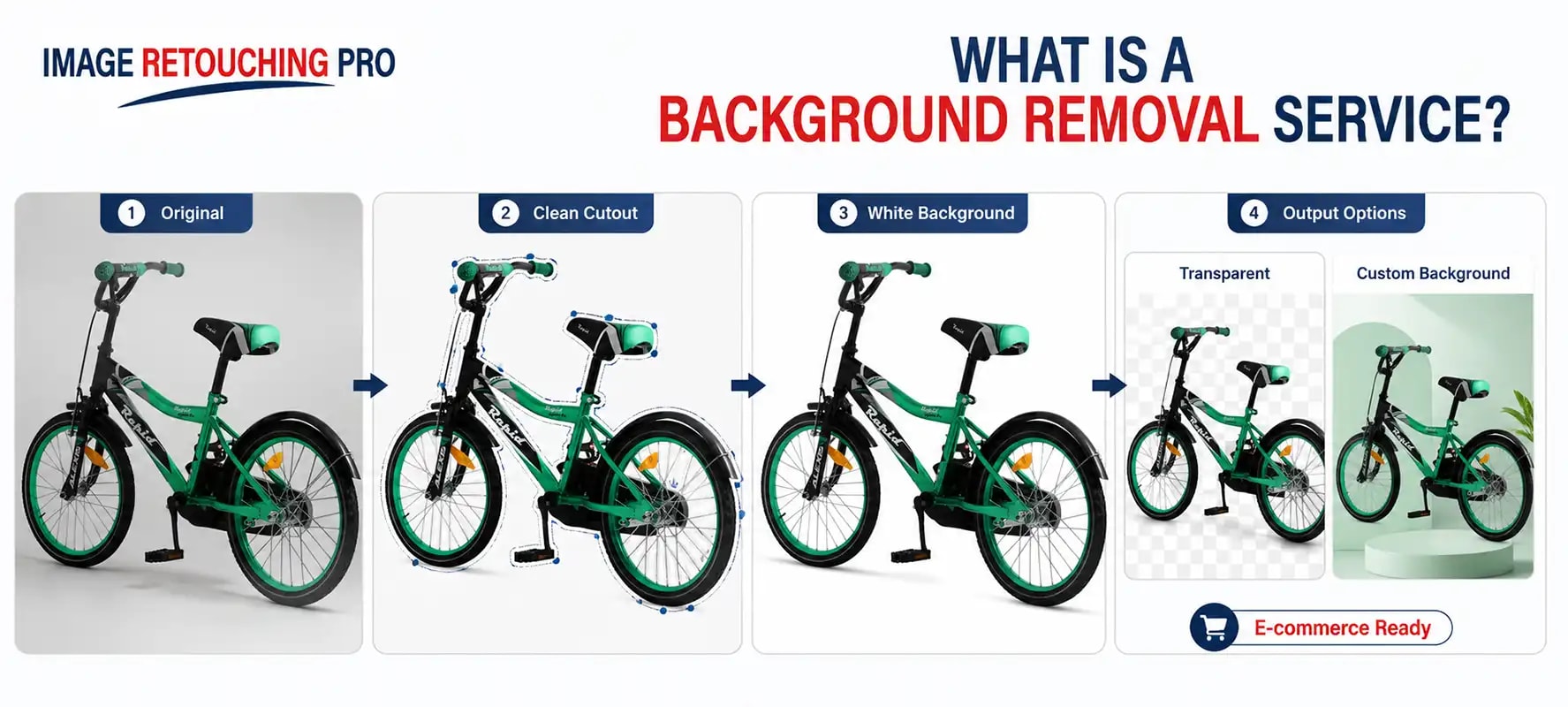
is a professional image-editing process used to separate the main subject of a photograph from its original surroundings. Once the product has been accurately isolated, the original background can be removed or replaced with a white background, a transparent background, a solid color, or a custom background. Commercial or promotional composition, Image Retouching Pro currently describes its background removal service as supporting white, transparent, and customized background options for product images. Background removal is commonly used for eCommerce product photography, catalogs, advertisements, marketplaces, websites, and other commercial image applications.
Why Background Removal Matters for eCommerce Images
Product photography often comes from different shoots, photographers, lighting environments, or suppliers. As a result, product backgrounds can appear inconsistent.
Removing those backgrounds provides greater control over the final presentation.
Creates a Cleaner Product Presentation
A simple background minimizes visual distractions and makes the product easier to evaluate.
Supports Consistency Across a Catalog
After products are isolated, they can be placed against consistent backgrounds across category pages, product listings, and promotional materials.

Helps Meet Marketplace Image Requirements
Some marketplaces have specific requirements for primary product imagery.
For example, Amazon's current product-image guidance states that main product images should use a pure white background with RGB values of 255, 255, 255. Requirements can differ by marketplace, product category, and image type, so sellers should check the current rules for each platform.
Creates More Flexible Image Assets
Once a product has been accurately isolated, the same subject can potentially be used across:
- Online stores
- Marketplace listings
- Catalogs
- Advertisements
- Social media graphics
- Website banners
- Promotional materials
Best Background Removal Techniques for eCommerce Images
No single background-removal method is appropriate for every photograph. The following techniques can improve accuracy and reduce unnecessary post-production work.
1. Capture a Clean, Sharp Source Image
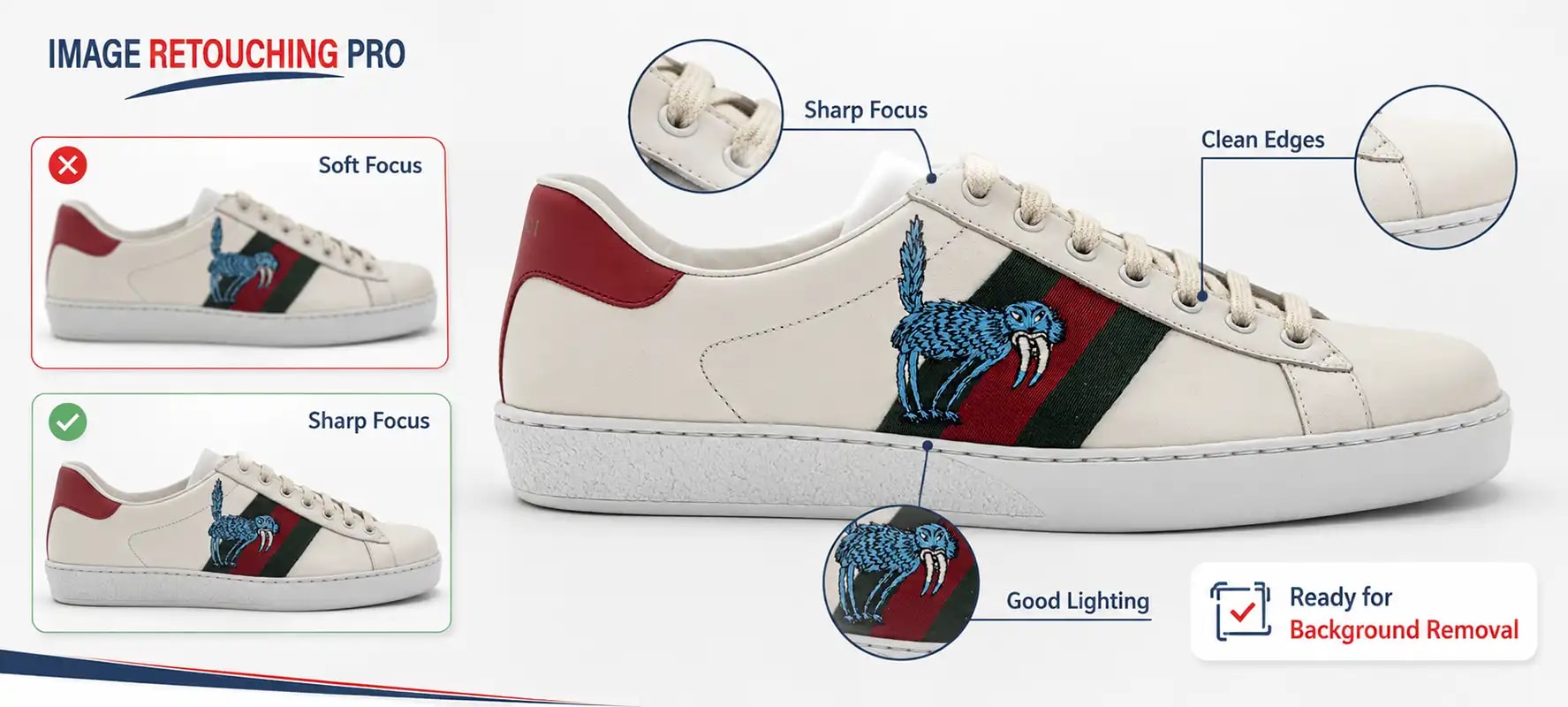
Good background removal starts before editing. The product should be photographed clearly, with enough sharpness around its important edges. High-quality source files provide editors with more visual information when refining fine contours and difficult areas. A wide aperture can help soften a distracting background, but it should not be used automatically for every product. Wider apertures create a shallower depth of field, which can blur the background but may also leave parts of a deep product out of focus. Choose an aperture that keeps all important product details sufficiently sharp. Practical goal: prioritize a clearly focused product rather than background blur alone.
2. Light the Background Evenly
A clean and evenly illuminated background can make product isolation easier.
When photographing against white, aim to minimize:
- Dark patches
- Uneven gradients
- Strong shadows
- Color contamination
- Unwanted reflections
You can light the background independently when necessary, but avoid excessive exposure that causes the edges of a light-colored or reflective product to disappear. The goal is edge separation, not simply making the background as bright as possible.
3. Control Harsh Shadows
Strong shadows behind or beneath a product can complicate background removal.Use appropriate:
- Diffusers
- Reflectors
- Fill lighting
- Larger light sources
- Product-to-background distance
to create a cleaner separation. Before removing all shadows, consider whether the finished image should retain or recreate a natural product shadow. Completely shadowless cutouts can sometimes appear visually disconnected from the final background.
4. Use a Contrasting Background When Practical
A background that visually contrasts with the product can help distinguish product edges.
Examples include:
- Dark product against a light backdrop
- Light product against a darker backdrop
- Neutral product against a contrasting studio background
However, high contrast alone does not guarantee a perfect cutout. Highly saturated backdrops may reflect color onto glossy products, transparent objects, metal surfaces, or fine edges. The best background should provide useful separation without introducing unwanted color contamination.
5. Use a Clipping Path for Hard-Edged Products
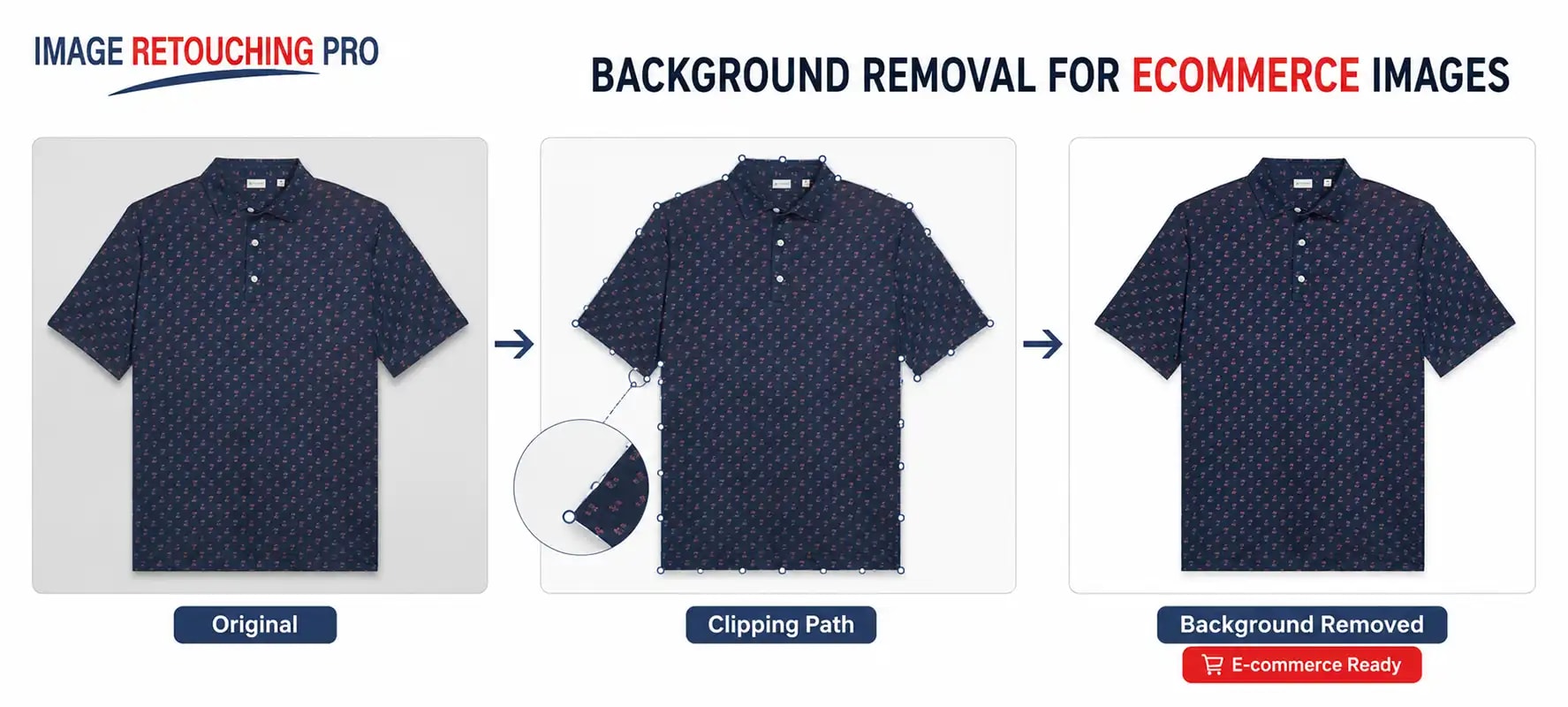
A clipping path is one of the most precise background removal techniques for products with clearly defined edges. In Photoshop, an editor can use the Pen Tool to create a path around the contour of a product. Adobe's path tools allow editors to create and modify paths using anchor points and direction handles. Clipping paths work particularly well for:
- Boxes
- Electronics
- Bottles
- Shoes
- Furniture
- Packaging
- Watches
- Automotive parts
- Hard-edged accessories
Why Use a Clipping Path?
A carefully constructed path offers detailed control over:
- Straight edges
- Corners
- Curves
- Internal openings
- Product contours
Once the path is complete, the product can be separated from its original background and placed on another background.
When a Clipping Path Is Not Enough
A clipping path creates a defined boundary, so it is generally unsuitable by itself for:
- Hair
- Fur
- Feathers
- Soft fibers
- Sheer fabric
- Semi-transparent edges
Those subjects normally require masking or a combination of techniques.
6. Choose the Right Final Background
The correct background depends on how the image will be used.
White Background
Useful for clean eCommerce presentations and required for certain marketplace main-image applications, including Amazon main product imagery.
Transparent Background
Useful when products need to be placed into different website layouts, advertisements, catalogs, or creative compositions.
Custom Color Background
Useful when an image must align with a brand's design or marketing campaign.
Lifestyle or Composite Background
Useful for promotional imagery where the isolated product needs to be integrated into another environment.
Always determine the required output before completing the cutout so the edges can be evaluated against the intended final background.
Can AI Replace Manual Background Removal?
AI-powered background removal is useful for accelerating repetitive work.
Automatic tools can quickly identify a subject and generate an initial cutout. Photoshop itself includes automated subject selection and background removal functionality.
However, speed and final accuracy are different requirements.
Automated selections may still struggle with:
- Fine hair
- Fur
- Transparent products
- Reflective surfaces
- Low-contrast edges
- Complex openings
- Similar foreground and background colors
For professional eCommerce imagery, a practical workflow is often:
Automatic or assisted selection → edge inspection → manual refinement → quality control
For straightforward products, automation can save significant production time. For complex images, detailed manual work remains important.
Photoshop vs. Other Background Removal Software
Adobe Photoshop is a widely used professional image-editing application and provides paths, selections, masks, Select Subject, and edge-refinement tools relevant to background removal.
GIMP can also perform subject extraction. Its official documentation includes Foreground Select functionality to separate foreground objects from their backgrounds and refine the resulting selection.
The best tool ultimately depends on:
- Image complexity
- Required accuracy
- Editing volume
- Production workflow
- Budget
- Team experience
- Final output requirements
For professional work, the editor's technique and quality-control process often matter as much as the software itself.
Common Background Removal Mistakes
Cutting Too Far Into the Product
Over-aggressive selections can remove genuine edge details.
Leaving Background Halos
Light or colored outlines around the product make the cutout appear unfinished.
Using Clipping Paths for Every Image
A clipping path is excellent for hard-edged objects but unsuitable for many soft, fine, and semi-transparent areas.
Relying Entirely on Automatic Removal
Automatic tools are useful, but complex commercial images still need careful inspection.
Ignoring Shadows
Some products need natural shadows to maintain realistic visual depth after background removal.
Using Low-Resolution Source Files
Limited edge detail makes accurate masking and refinement more difficult.
Ignoring Final Background Color
A cutout that looks acceptable on white may reveal halos or poor masking when placed against dark or colored backgrounds.
Always evaluate the image against its intended final use.
Why Outsource eCommerce Background Removal?
Background removal can become time-consuming when a business processes large quantities of product photography.
Outsourcing may be useful for:
- Online retailers
- Amazon sellers
- Shopify stores
- Product photographers
- Fashion brands
- Manufacturers
- Advertising agencies
- Creative studios
especially when images require repetitive clipping paths, masking, refinement, or catalog consistency.
Image Retouching Pro currently offers background removal, product retouching, clipping-based isolation, masking, color correction, and post-production photography services.
Get Clean, Consistent Product Backgrounds
Effective background removal for eCommerce images begins with a good source photograph and continues with the correct isolation technique.
For hard-edged products, a carefully created clipping path provides precise control. For hair, fur, transparent materials, and complex edges, image masking is usually more appropriate. Automated selection tools can accelerate the workflow, but final edge inspection remains essential for professional results.
If you need help processing individual images or larger product-image batches, Image Retouching Pro
provides background removal and related professional image-editing services. Send Your Images
e to discuss your project requirements.